Nektar Panorama CS12 – Channel-Strip Controller with Motorized Fader & DAW Integration
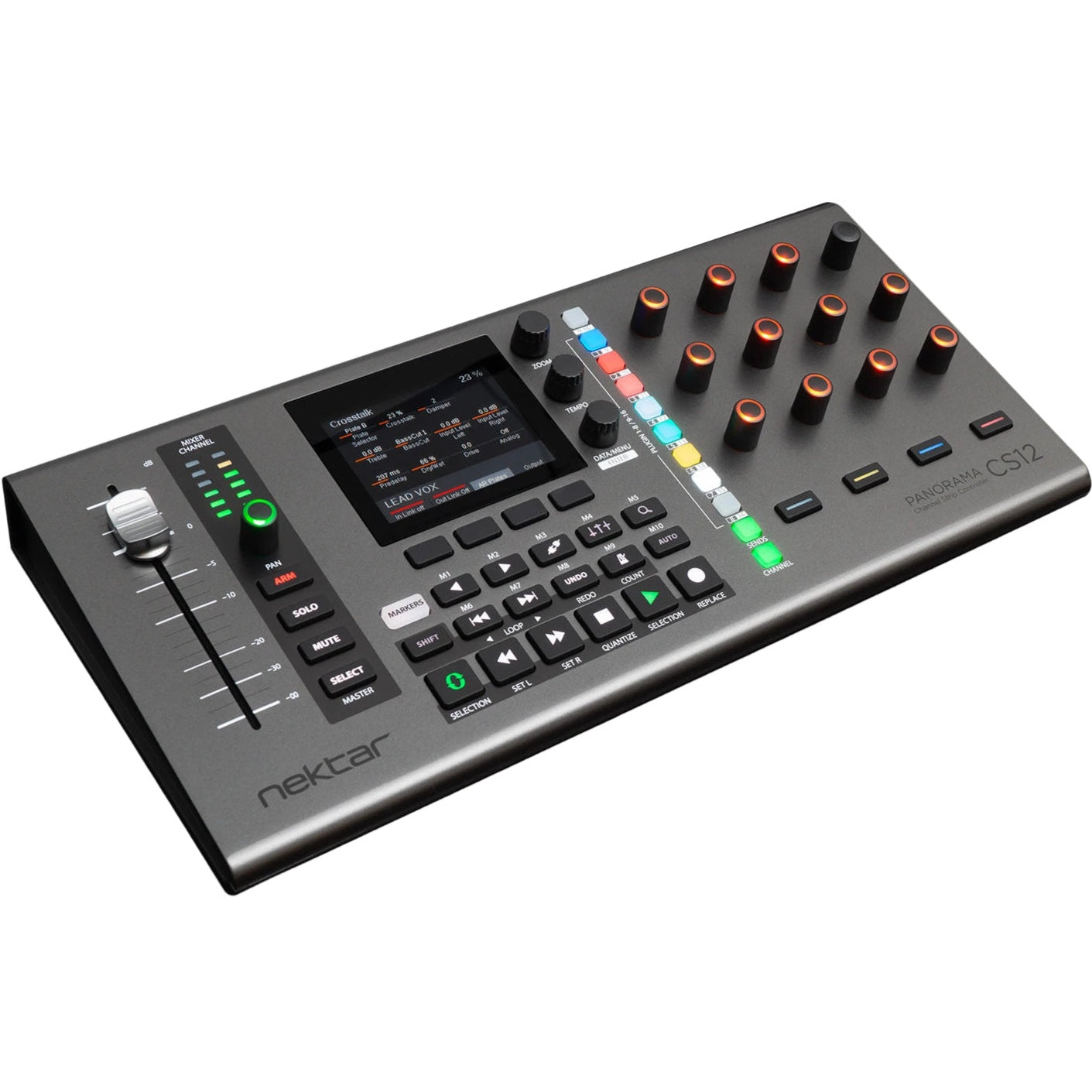
The Panorama CS12 brings professional channel strip ergonomics to your desktop. With a 100 mm motorized fader, RGB pumps and encoders, a colourful 3.5″ TFT display, and hands-on plugin control, it’s built to speed up editing, deepen your connection to your DAW, and let your fingers do the moving—not the mouse.
Key Features
-
100 mm motorized ALPS fader: High-resolution (14-bit) control that follows your selected track and lets you touch to insert clean automation points.
-
Fully-loaded channel strip: Includes illuminated pan knob, Arm/Mute/Solo/Select buttons, and a 6-segment LED level meter.
-
Plugin control panel: 12 RGB-illuminated endless pots complemented by 11 RGB buttons, four parameter soft keys, and a parameter-level OLED screen for intuitive plugin control.
-
3.5″ colour TFT display: Shows plugin GUI, assigns parameters, and features three encoders plus four soft buttons to navigate and tweak your tools with visual feedback.
-
Transport & navigation: 18 functions including timeline, looping, markers, playhead movement, tempo and zoom control—all accessible via buttons and encoders.
-
Footswitch input: Allows hands-free control during tracking or live use, with support for dual foot pedals via Y-cable.
Customer Benefits
Panorama CS12 replaces endless clicking with sliding, twisting, and touching. You control mixer levels, plugin parameters, automation, and navigation directly—giving you flow, focus, and a deeply musical interaction with your DAW.
Quick Specs
-
Fader: 100 mm motorized ALPS, 14-bit resolution
-
Encoders: 12 RGB-lit endless knobs
-
Plugin Buttons: 11 RGB buttons, 4 soft keys
-
Display: 3.5″ TFT color screen with 3 encoders + 4 display buttons
-
Channel Strip Controls: Pan knob, Arm/Mute/Solo/Select, LED level meter
-
Transport & Navigation: 18 buttons, tempo, zoom, markers, playhead movement
-
Connectivity: USB-C, USB bus-powered (min. 500 mA), TRS footswitch input (dual support via splitter)
-
Dimensions: 39 × 18.5 × 6.5 cm
-
Weight: Approx. 0.49 kg
What’s in the Box
- Panorama CS12 controller
- Quick-start guide and overview
- USB A to C cable
Use Cases / Ideal For
Tailored for serious Logic Pro, Cubase, and Nuendo users, Panorama CS12 suits those who demand fluid mixer and plugin control. It shines in professional workflows, offering instant automation, detailed editing, and deep DAW integration without the distractions of a mouse.
Compatibility
Works with Logic Pro, Cubase, and Nuendo using built-in mappings and the Nektar ControlCore app. Custom mapping via Nektarine makes it adaptable to both stock and third-party plugins. Supported on macOS and Windows.
Pros & Cons
✅ Pros:
- High-resolution motorized fader for precise, touch-responsive control.
- Displays plugin GUIs and enables deep editing without touching the mouse.
- Full channel strip control with visual feedback and rapid navigation tools.
- Compact, lightweight, and USB-powered for desk-friendly setups.
⚠️ Cons:
- Learning curve for mapping third-party plugins; Logic’s own plugins are better integrated.
- Some users report minor quirks like popup automation or plugin window behavior in Logic Pro.
The Nektar Panorama CS12 is a streamlined, tactile DAW companion—designed for engineers and musicians who want to stay in the creative flow, not behind the screen cursor.